
Stop optimising everything
Relax.

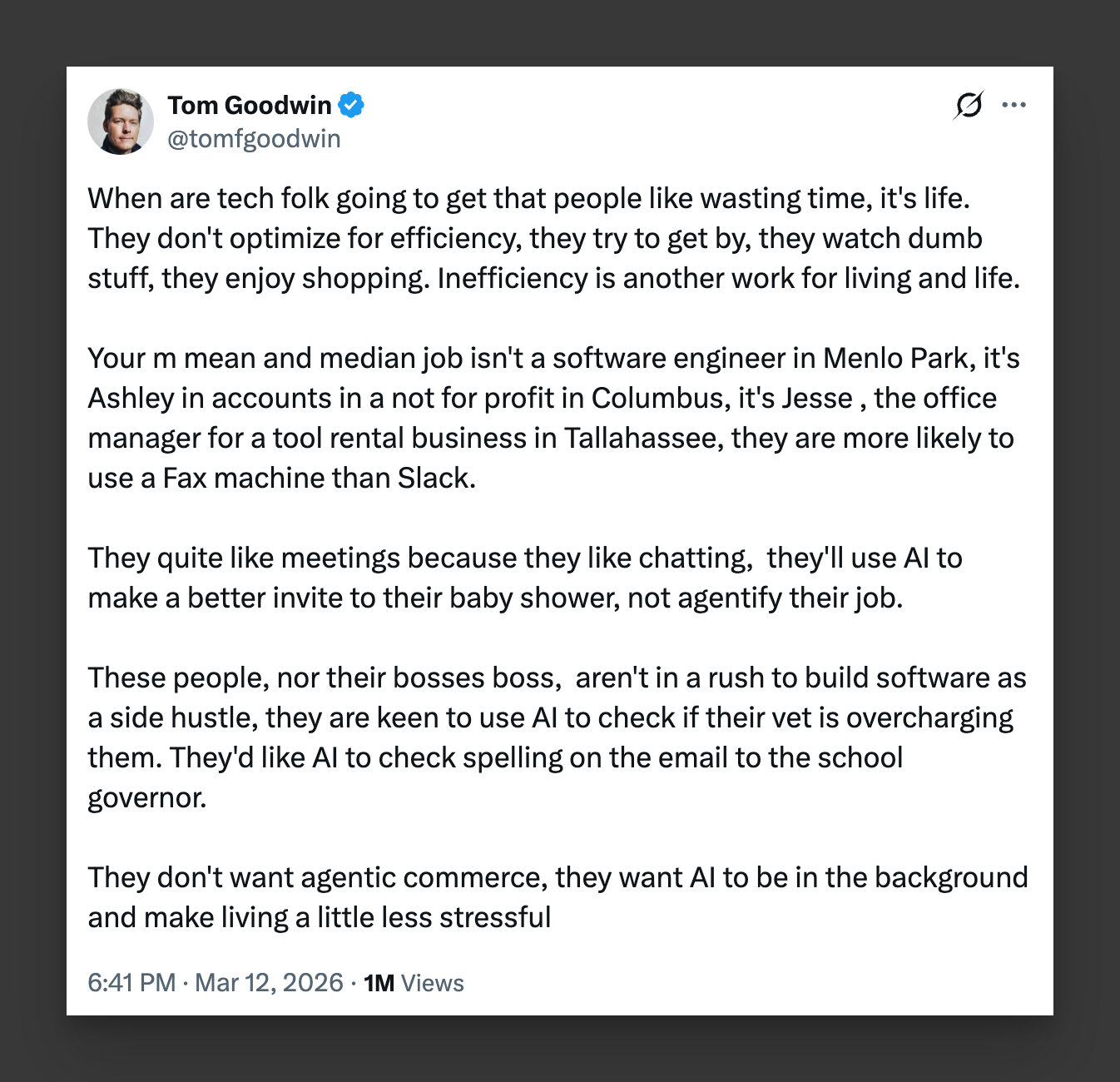
One of the best takes I’ve seen on AI. Humans just aren’t designed to make their life as efficient as possible.
As more and more AI tools come out, there’s this feeling of missing out or falling behind.
I do think it’s important to use AI tools but they’re not meant to take over your life. AI is here to make the tedious stuff disappear.
Most people actually like doing stuff that’s not optimised. Most people don’t care about saving every minute of their time, making things as efficient as possible.
If you’re using AI tools in some way or another, you’re actually already ahead.
My philosophy is that AI should work in the background. AI should be used to do things you don’t want to do and things you can’t do. It’s a super powered personal assistant.

Huge issue I have with writing is getting my thoughts done quicker. I have like 40 started Apple Notes right now. Not exaggerating. Maybe more. Ideas for videos, business concepts, half-written essays.
I realised my main issue was getting thoughts down through a keyboard is just a bit too slow. Wispr Flow changes that, it’s voice dictation app. It works inside any app you already use. I talk, it types. Learns your voice over time. I use it to clear my backlog. Works every time.

I’ve published a flurry of new videos on the Oliur Online channel over the last month covering Claude as it’s a hot topic right now and the current tool I’m using most in my life and business.
I share quite a few things I haven’t shared elsewhere as they only make sense in video format, check out the channel - see the videos →
Link Lowdown
A collection of links to stuff I think are worth sharing.
Grainrad — Cool way to manipulate and transform images.
Wispr Flow — Voice dictation app that is weirdly good.
uncut.wtf — List of freely available fonts.
Retune — One of the best tools I’ve come across so far for making UI tweaks using AI.
Qspace — A better Mac finder.
Resurf — Neatly designed bookmarking tool.
cmux — Terminal app built for doing more.
Details That Make Interfaces Feel Better — Useful short article on some UI concepts.
Port Menu — Mac menubar app that shows which ports you currently have running.
It’s been really funny to see all the YouTubers who I used to follow to get away from AI like you and Sarah Deitchy enter into the AI sphere! Sigh.
Even during my corporate days I enjoyed logging my expenses. Yes it could be optimised but it's also a fun way to catch up with my teammates when we all do it together once a month